Conversations that stay organised
Threads keep side topics tidy. Replies, reactions, Markdown and code blocks, link previews, typing indicators and unread markers, all in real time. Search finds any message you can read and jumps straight to it.
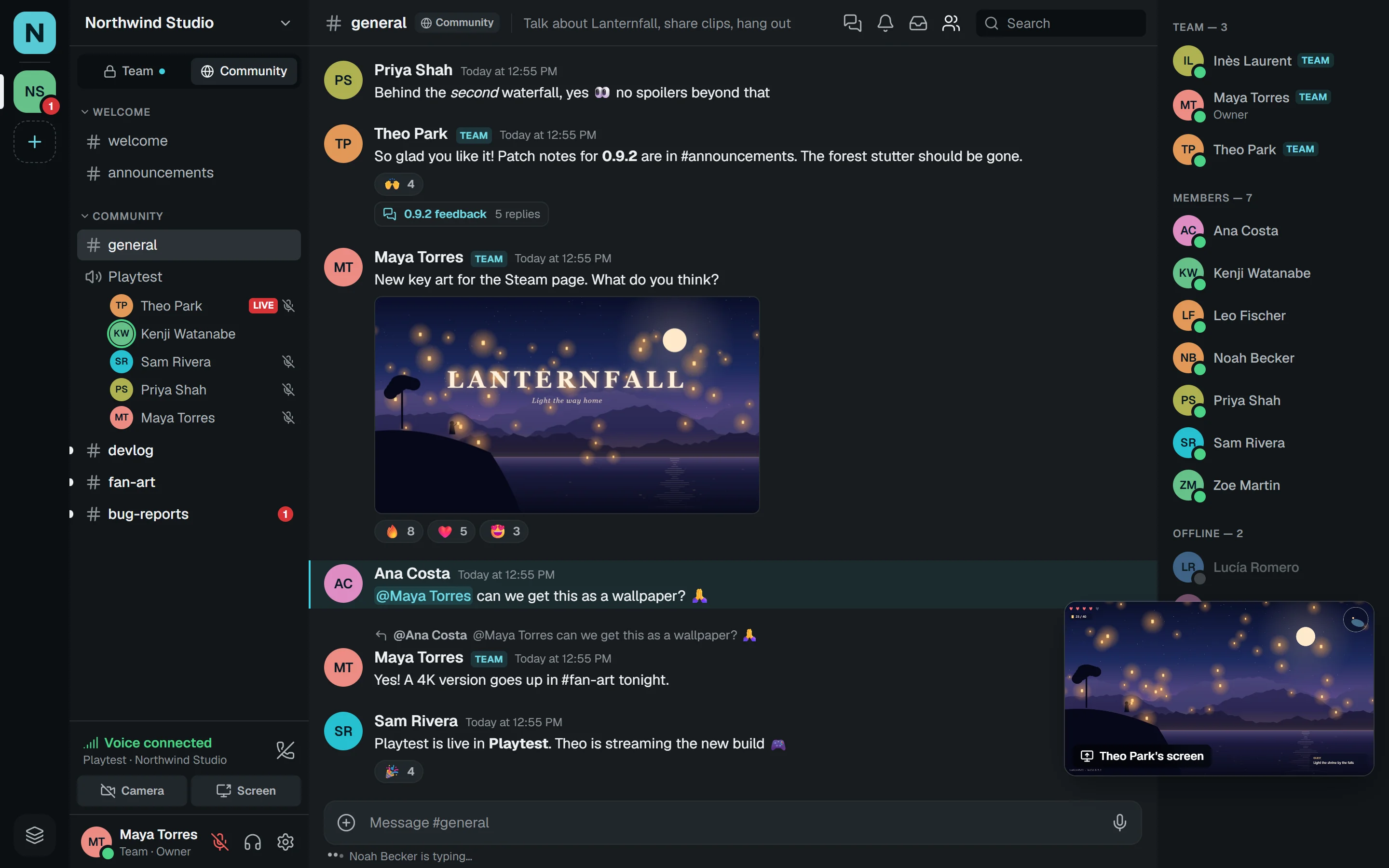
Nive is chat, drop-in voice and smooth screen sharing for indie studios, creators and open-source projects. A private team side and a public community side live in the same space, one click apart.
Web Windows macOS & iPhone Linux Android
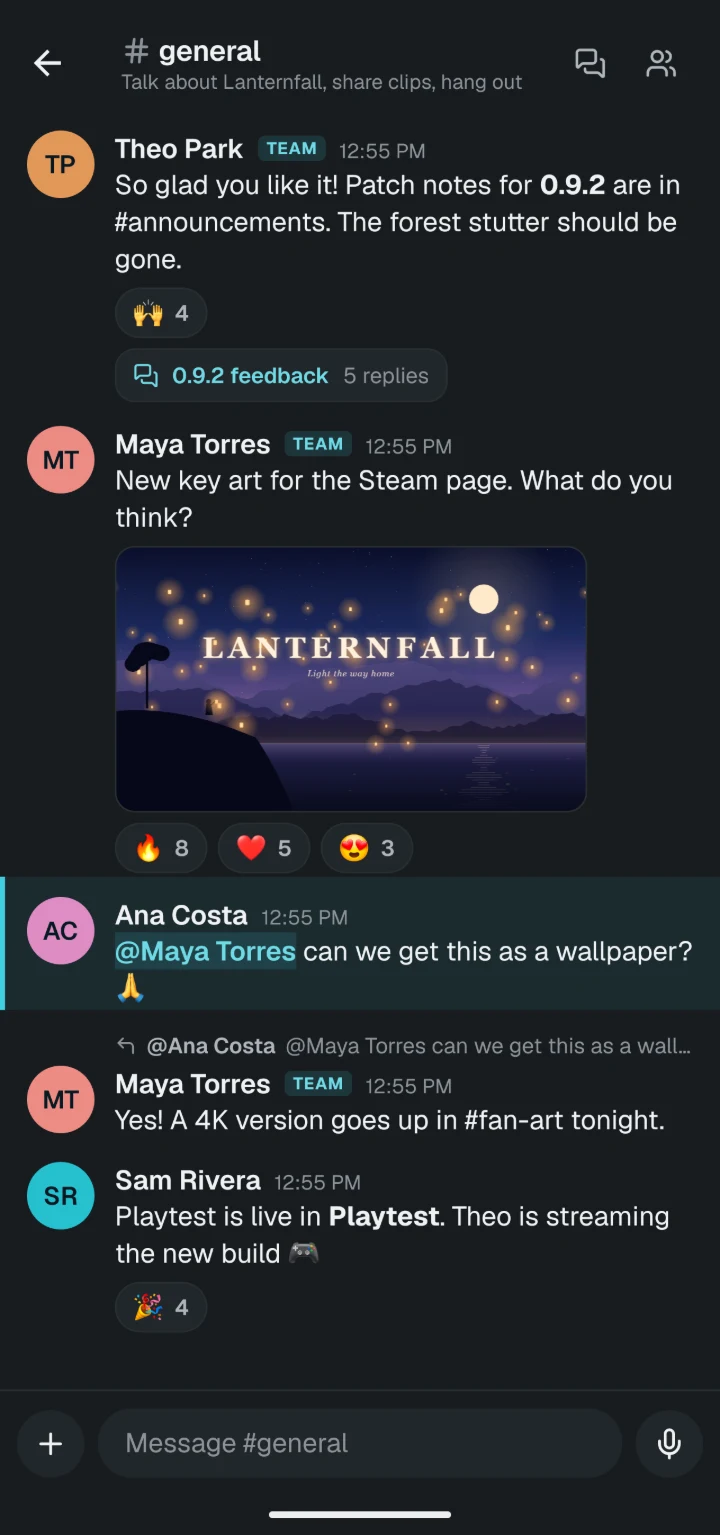
Built for people who run a team and a community at the same time
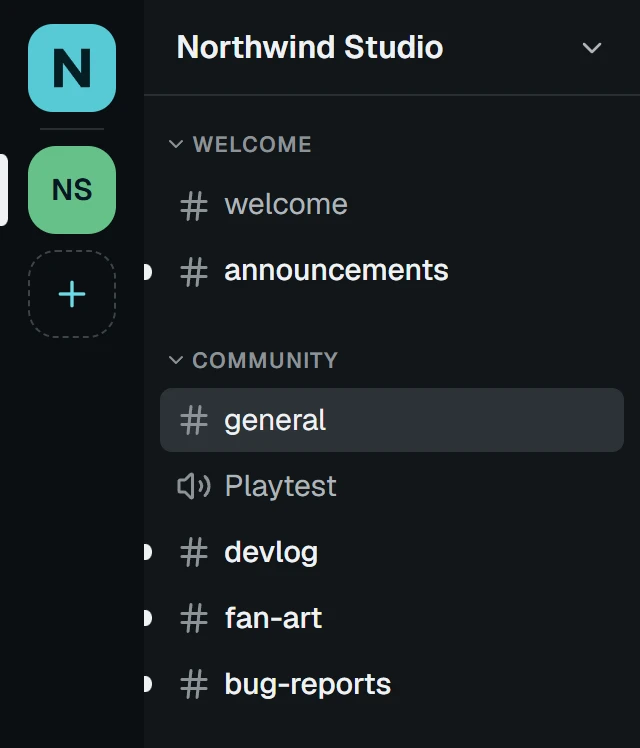
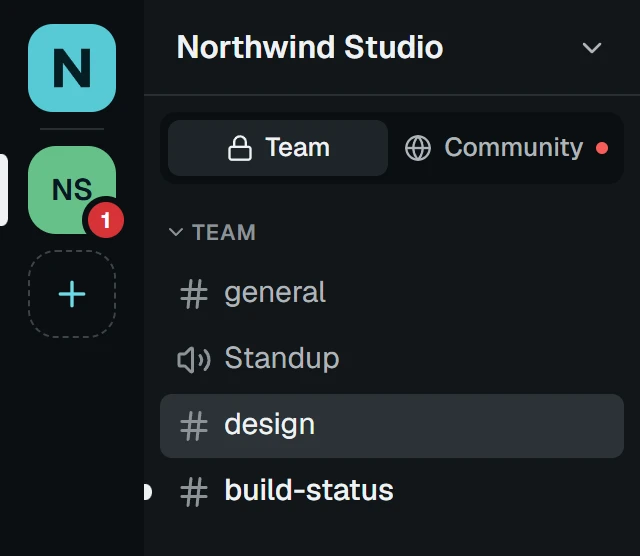
Team + community
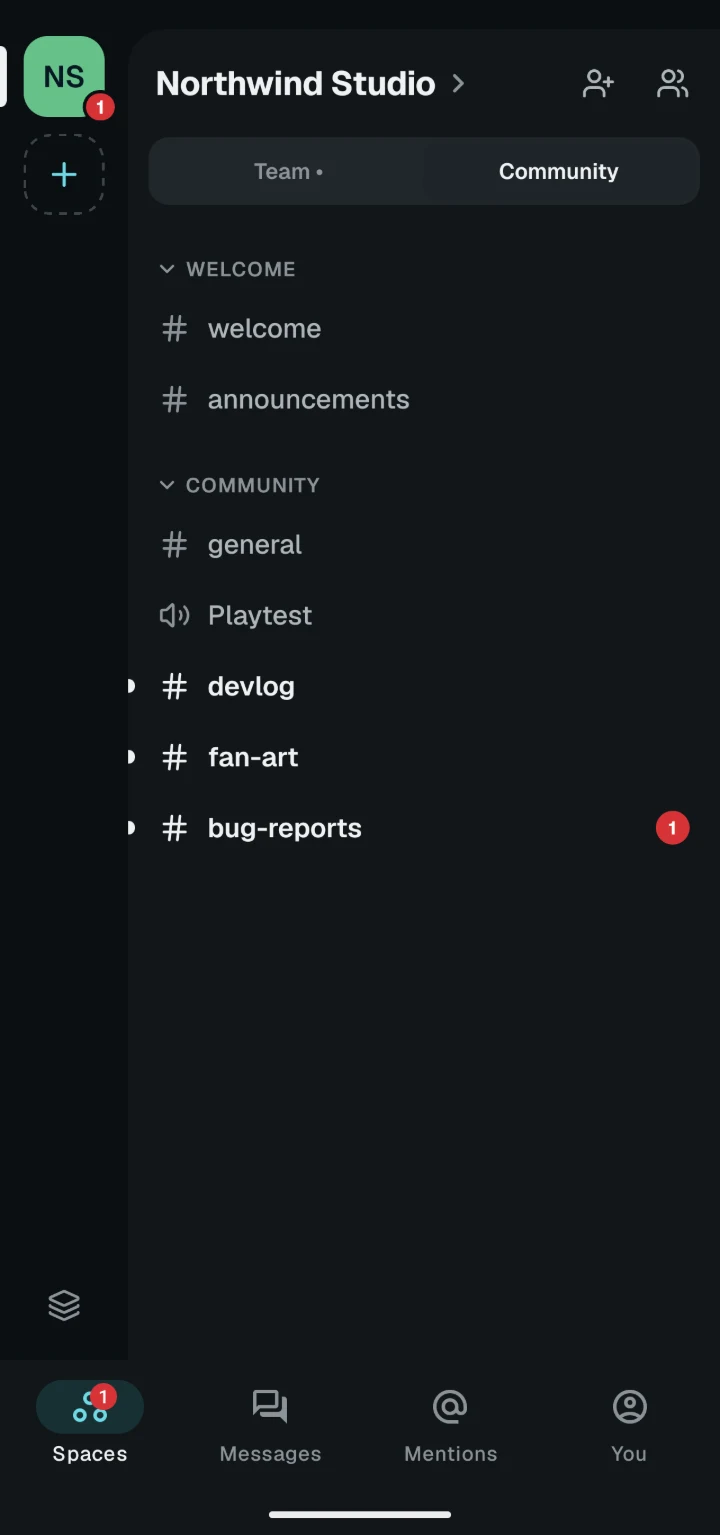
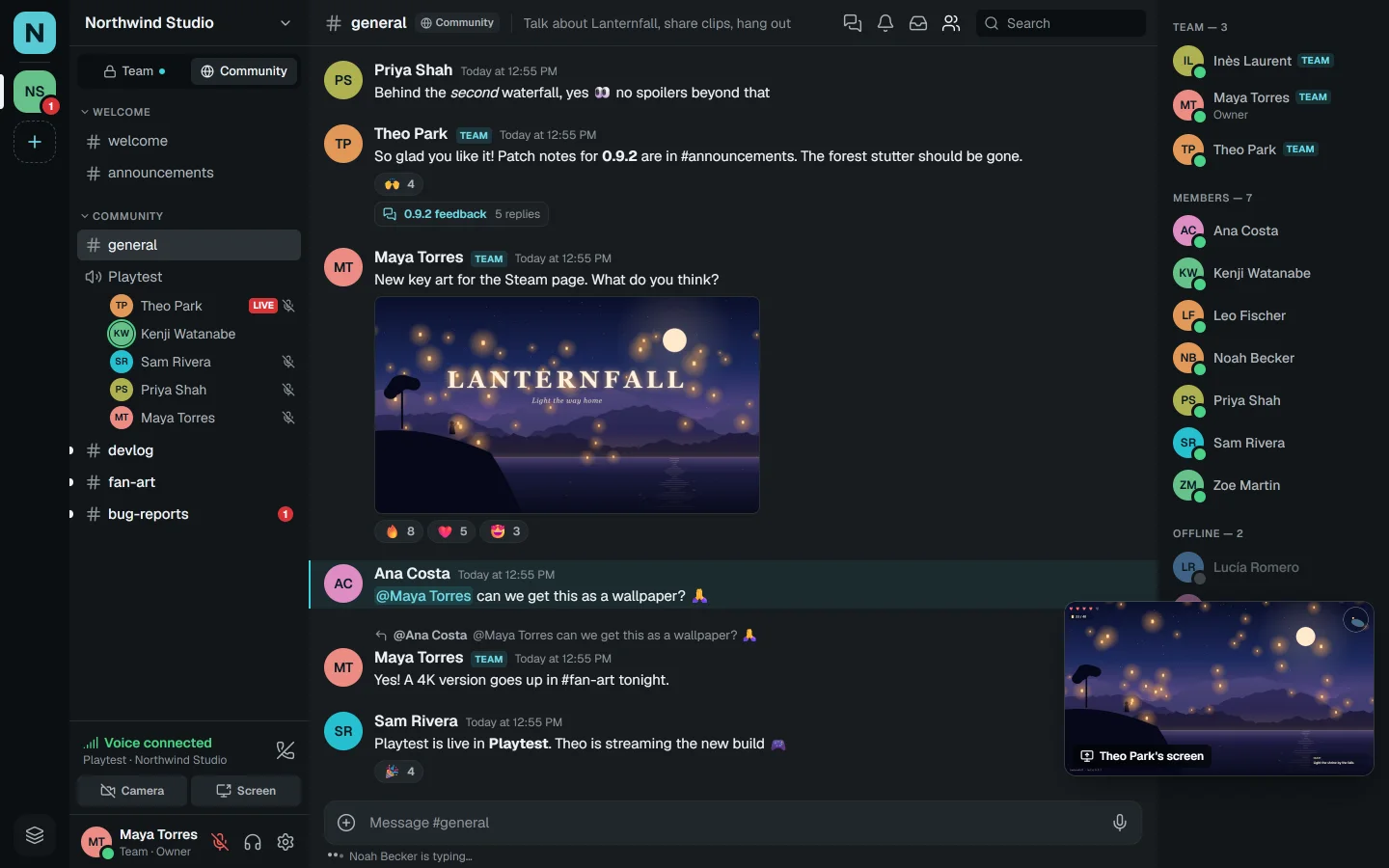
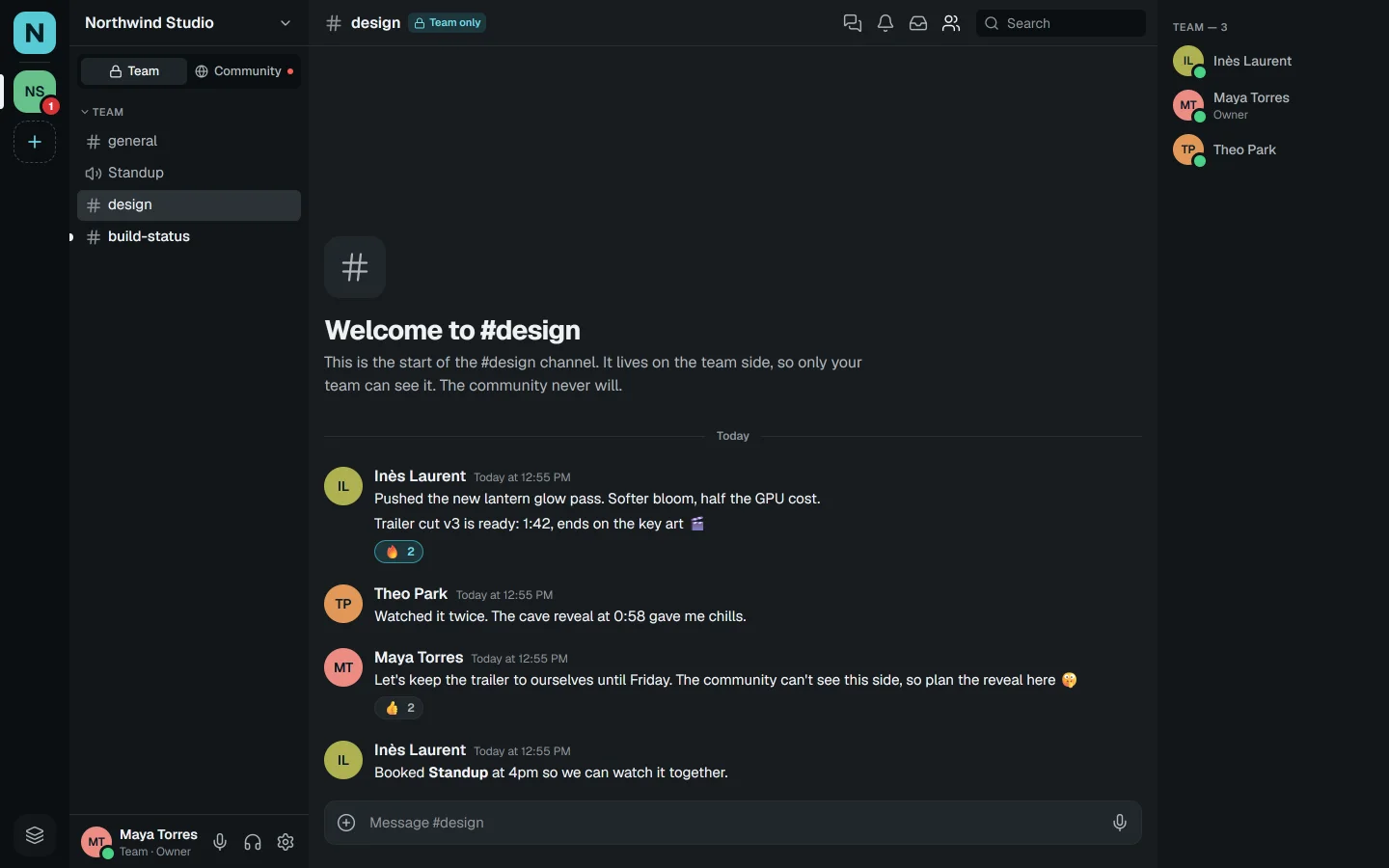
Your community chats, plays and reports bugs on one side. Your team plans, reviews and ships on the other. Community members never see the team side: not its channels, not its messages, not even that it's there.
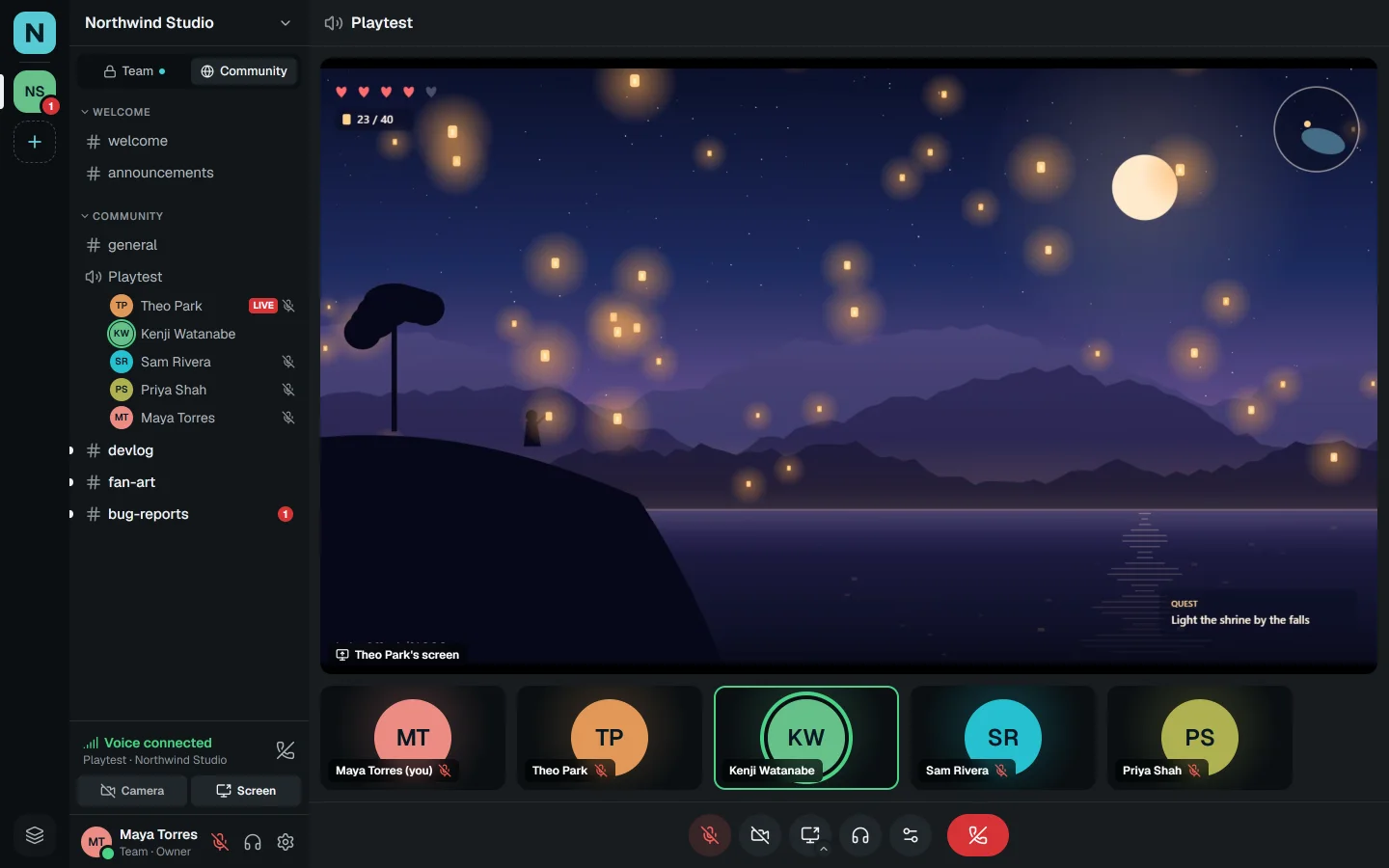
Voice & video
Voice rooms work like real rooms: click one and you're in. Share a game or a window in full HD, with its sound, and keep chatting while it plays in a corner.
−44 dB
Studio-clean voice
Noise suppression runs on your own device. In our tests it cut fan and keyboard noise by 44 dB, and your voice never leaves for cleaning.
0.1 dB
Everyone at the same volume
Automatic volume evens out the whisperers and the shouters: voices 27 dB apart came out within 0.1 dB of each other.
1080p60
Screen sharing that stays sharp
Encoded on your graphics card. The resolution you pick holds for the whole stream; when bandwidth dips, frames give way, not sharpness.
The game's sound, not yours
Share an app's sound without the call in it, so nobody hears their own voice echo back.
The stream follows you
Leave the call page and the stream keeps playing in a small window you can drag anywhere.
Push to talk, any key
Or a voice gate that opens when you speak. Mute and deafen from anywhere with global shortcuts.
Volume per person
Turn anyone up to 200% or down to silence, remembered for next time.
Chat
Threads keep side topics tidy. Replies, reactions, Markdown and code blocks, link previews, typing indicators and unread markers, all in real time. Search finds any message you can read and jumps straight to it.
Up to five profiles on one account, each with its own name, photo and status. Choose which one every space sees.
Push on the web, desktop and phone, and a mentions inbox. Every message, mentions only or nothing, per space and per channel.
Paste or drop up to 10 files of 25 MB each. Record a voice message of up to 10 minutes, cleaned like your calls.
Friend requests, DMs and group DMs for up to 10 people. Decide who can message you, and block anyone.
Mention a person, a role or @everyone. Nive only suggests people who can actually see the channel.
Call with Theo Park
End-to-end encrypted
Safety code
🦊🌙🎈🍀🚀🎸
Theo sees the same six. If they match, no one else is listening.
Privacy
Download
One account, the same spaces everywhere. Start in your browser today; the apps are on their way.
Windows, macOS and Linux
iPhone and Android
Or open it in your browser, right nowNothing to install. Chrome, Edge, Firefox and Safari.
What's next
Shaped by the studios, creators and projects who use it.
Work and off-duty modes
Schedules that hide gaming spaces during work hours and quiet work after them.
Answers that stick
Mark accepted answers and turn good threads into wiki pages for your space.
Catch up in seconds
A summary of what you missed while you were away.
Moderation built in
Automod, raid protection and a mod log. No need to install five bots.
Bring your server over
Import channels, categories and roles from Discord.
Bots and webhooks
Hook Nive up to your builds, your store and your tools.
FAQ
A place for a group to talk: spaces with text channels, threads and drop-in voice rooms, plus DMs and friends. What makes it different is that each space has two sides, one for your team and one for your community.
Discord is built for communities and Slack for teams, so studios and creators usually juggle both. Nive puts your team and your community in the same space, with a wall between them that the server enforces, so you stop copying messages between apps.
No. Nive runs in your browser at app.nive.chat, voice and screen sharing included. Apps for Windows, macOS, Linux, iPhone and Android are coming, and they use the same account.
Calls in DMs are end-to-end encrypted: the key is agreed between the people in the call and never reaches our servers, and a safety code lets you check. Voice rooms in spaces are encrypted on their way to Nive's own servers, and your voice is cleaned up on your device.
Never. Team channels don't exist for community members: they aren't listed, they can't be opened, and they don't show up in search. Not even giving someone Administrator changes that; only a team invite does.
Importing channels, categories and roles from Discord is on the way. Until then, setting up a space takes about a minute: pick a layout and Nive creates the channels for you.
Make a space for your team and your community in about a minute. Invite them with one link each.